Post Views:
395
How to connect PSU WiFi (802.1x) for IOS & Android
For IOS
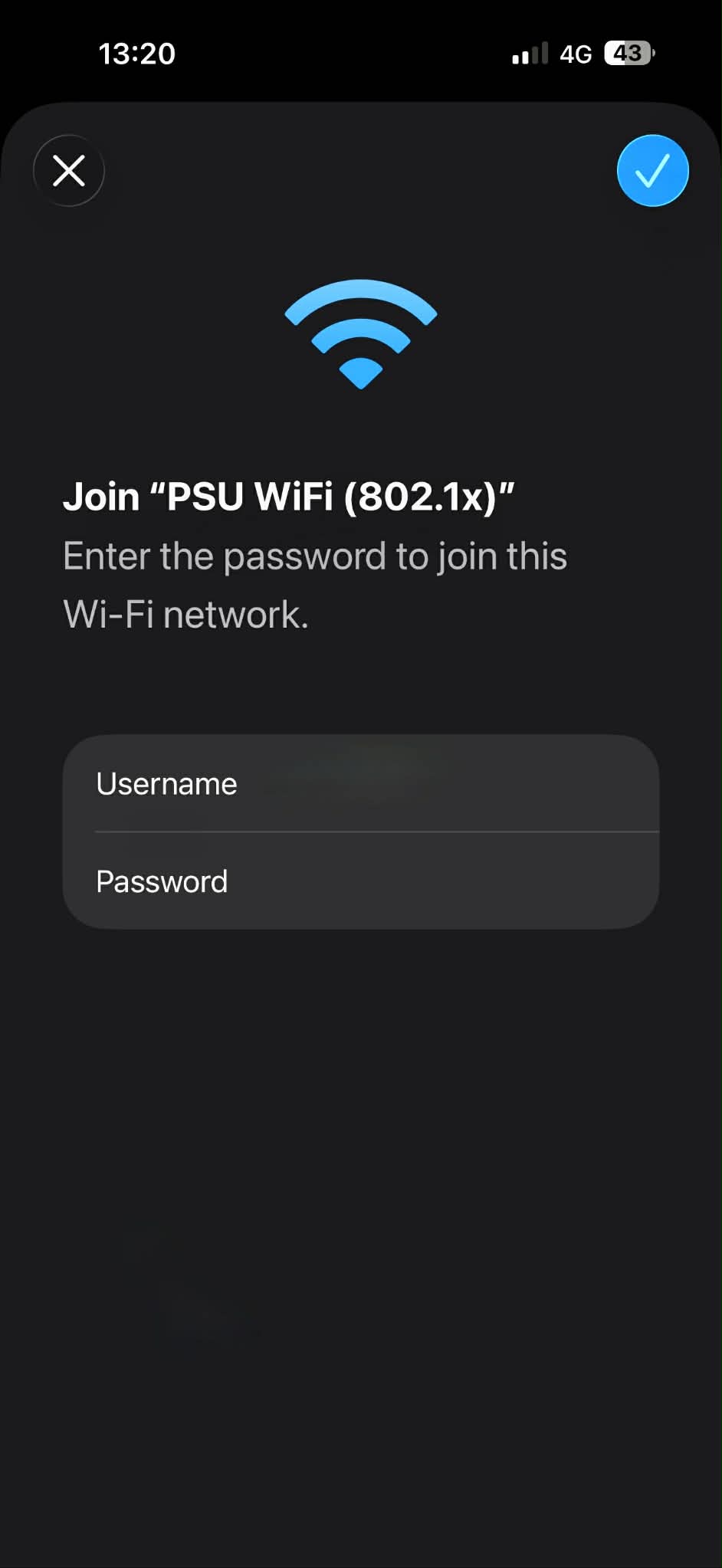
- Choose SSID PSU WiFi (802.1x)


- Enter Username ans Password (PSU Passport)

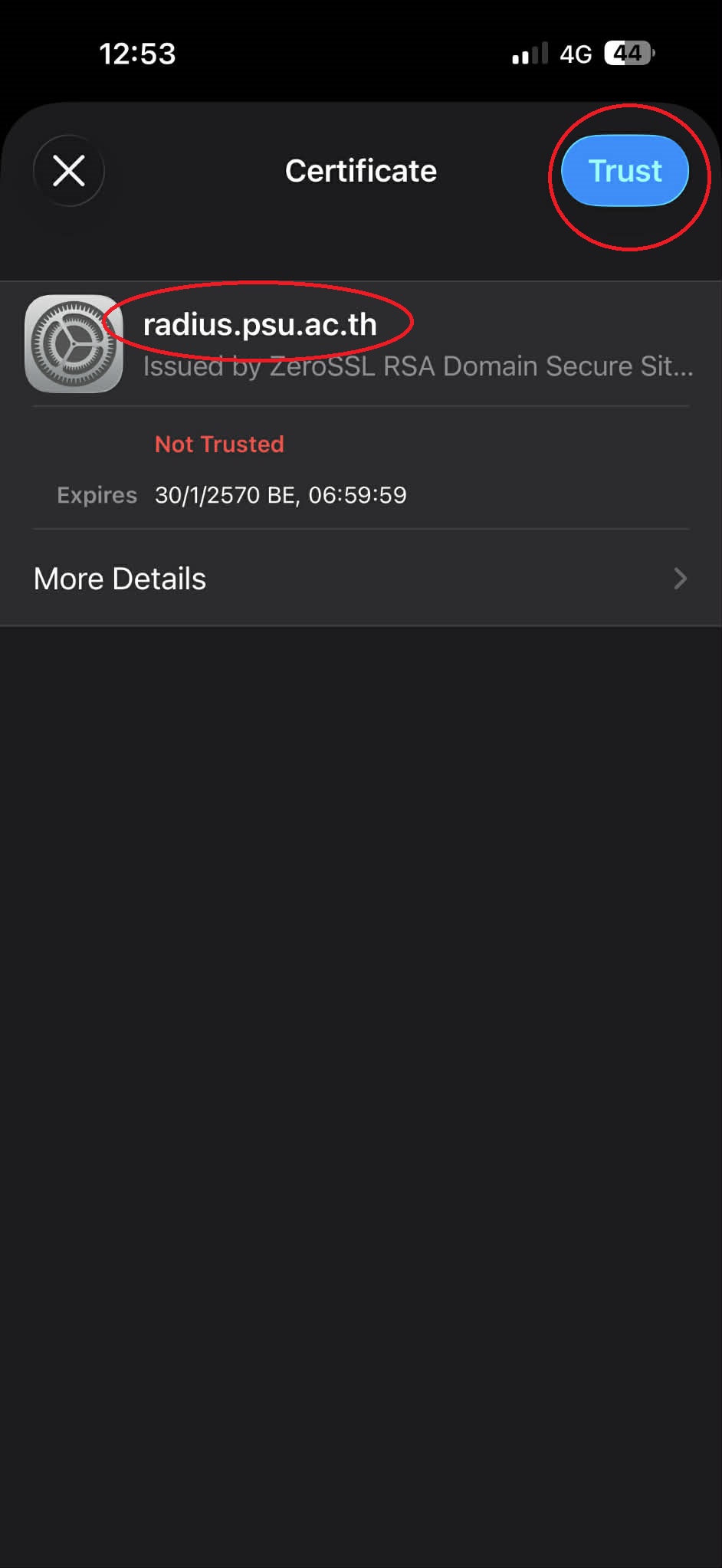
- Please verify and trust the certiticate for radius.psu.ac.th

For Android
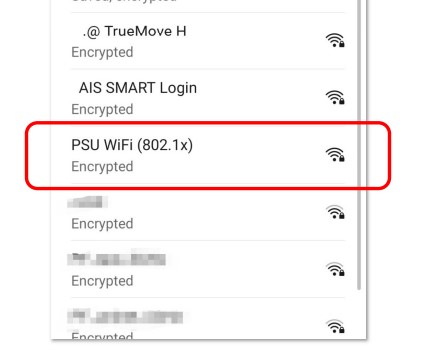
- Choose SSID PSU WiFi (802.1x)

- Set the EAP method to PEAP.
Set Phase-2 authentication to MSCHAPv2.
Set CA certificate to Use system certificates
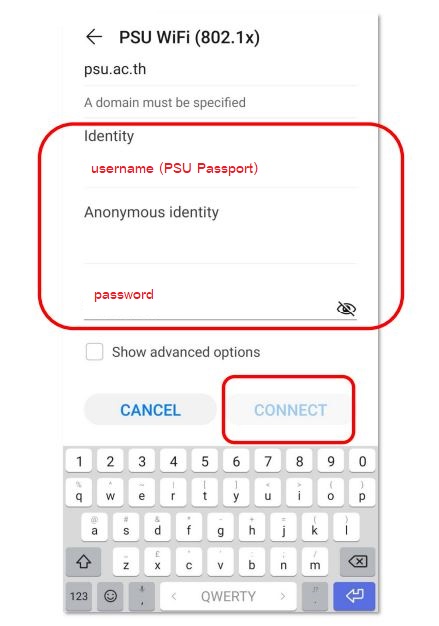
Set Domain to psu.ac.th
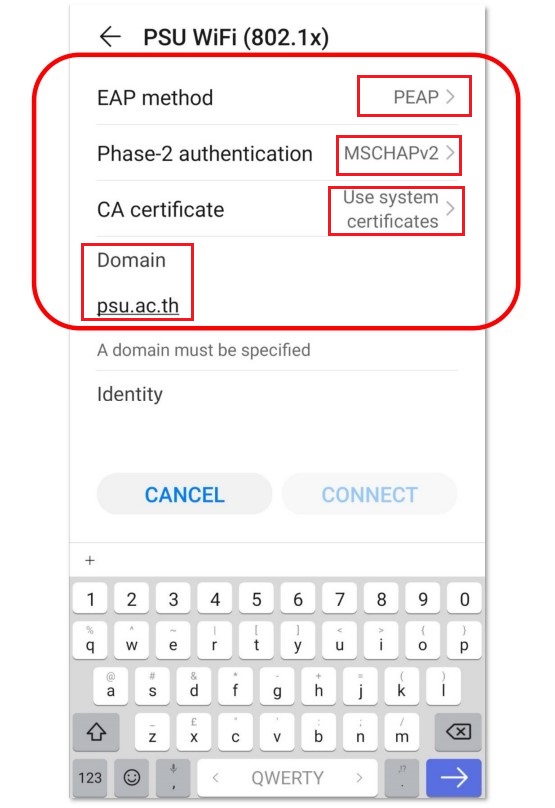

- Enter Username and Password (PSU Passport)

How to connect PSU WiFi (802.1x) for IOS & Android
For IOS
For Android
Set Phase-2 authentication to MSCHAPv2.
Set CA certificate to Use system certificates
Set Domain to psu.ac.th
Nattakon Mingkaew
More Posts
Nattakon Mingkaew